

Advertisement
About This App
App Name Screen Recorder - G1REC
Category Video Players & Editors
File Size 69MB
Version 7.2.0

Description
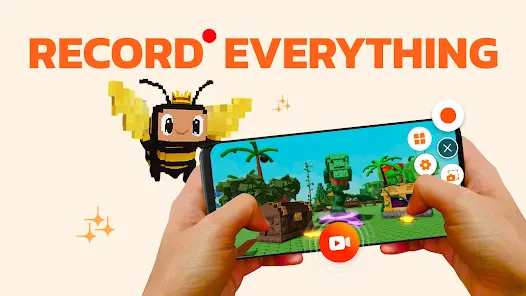
Screen Recorder - G1REC is an All-in-one screen recorder that helps users to record the screen of their mobile devices. It offers features like screen recording, screenshot capturing, video editing, voice changer, video compress, video to mp3, video to GIF.
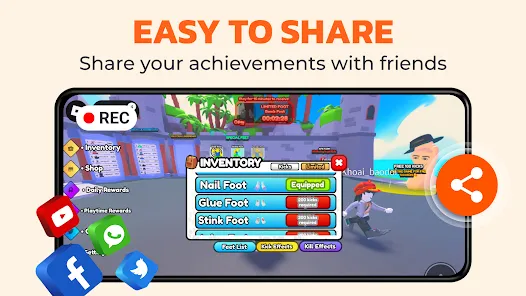
With G1REC, you can easily share high-resolution videos with no watermark on platforms such as Youtube, Snapchat, WhatsApp, Facebook, TikTok, etc. Unleash your creative potential and record screen like an expert with screen recorder!
KEY FEATURES:
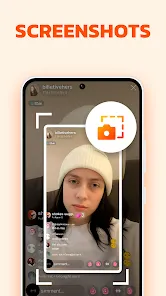
- Capture Screenshot quickly with Floating button
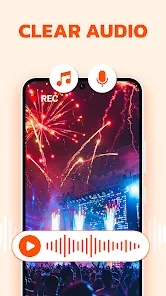
- Record videos with sound.
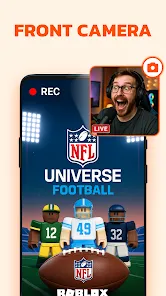
- Face camera, perfect for YouTubers.
- Record internal audio on Android 10+.
- Draw during recordings with the Brush Tool.
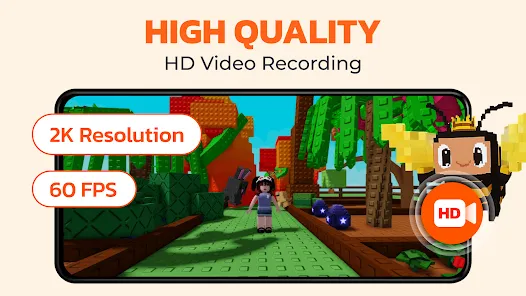
- Record in high quality: 1080p, 60FPS, at 12Mbps.
- Option to conceal floating button during recording.
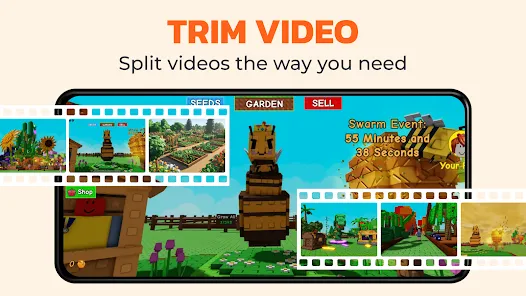
- Edit videos after recording.
- Voice changer for funny videos.
- Video to GIF: Make your videos to GIF.
- Video to MP3: Extract music from your videos.
🔊 Screen Recorder with Audio: Want to record gameplay or tutorials with audio? G1REC ensures your voice and internal sounds are captured clearly. Dive in and make your videos with this comprehensive audio-inclusive tool.
🎬 Video Recorder for game: G1REC offers top-tier game screen recording with HD quality.
🔉Video to MP3 Converter: Extract audio from videos using our Video to MP3 feature. Convert songs, lectures, or dialogues to high-quality MP3s for on-the-go listening. Simply upload, convert, and enjoy!
🤳 Facecam recording screen recorder: Employ the Facecam feature to include your reactions on a movable and resizable overlay window.
📽 Screen Video Recorder with no Watermark: Desire a no-watermark recording? It's your go-to for efficient screen recording or screenshot taking.
🎞 Video to GIF Converter: Easily transform video clips into looping GIFs with our Video to GIF feature. Record memorable moments in a compact, shareable format, perfect for social media, messaging, or websites.
We continuously aim to enhance the user experience based on feedback. Users can share their insights or report issues faced while using Screen Recorder via email at screenrecorder@app.ecomobile.vn
With G1REC, you can easily share high-resolution videos with no watermark on platforms such as Youtube, Snapchat, WhatsApp, Facebook, TikTok, etc. Unleash your creative potential and record screen like an expert with screen recorder!
KEY FEATURES:
- Capture Screenshot quickly with Floating button
- Record videos with sound.
- Face camera, perfect for YouTubers.
- Record internal audio on Android 10+.
- Draw during recordings with the Brush Tool.
- Record in high quality: 1080p, 60FPS, at 12Mbps.
- Option to conceal floating button during recording.
- Edit videos after recording.
- Voice changer for funny videos.
- Video to GIF: Make your videos to GIF.
- Video to MP3: Extract music from your videos.
🔊 Screen Recorder with Audio: Want to record gameplay or tutorials with audio? G1REC ensures your voice and internal sounds are captured clearly. Dive in and make your videos with this comprehensive audio-inclusive tool.
🎬 Video Recorder for game: G1REC offers top-tier game screen recording with HD quality.
🔉Video to MP3 Converter: Extract audio from videos using our Video to MP3 feature. Convert songs, lectures, or dialogues to high-quality MP3s for on-the-go listening. Simply upload, convert, and enjoy!
🤳 Facecam recording screen recorder: Employ the Facecam feature to include your reactions on a movable and resizable overlay window.
📽 Screen Video Recorder with no Watermark: Desire a no-watermark recording? It's your go-to for efficient screen recording or screenshot taking.
🎞 Video to GIF Converter: Easily transform video clips into looping GIFs with our Video to GIF feature. Record memorable moments in a compact, shareable format, perfect for social media, messaging, or websites.
We continuously aim to enhance the user experience based on feedback. Users can share their insights or report issues faced while using Screen Recorder via email at screenrecorder@app.ecomobile.vn
Advertisement
Screen Recorder - G1REC
Version: 7.2.0
Discover New & Trending Titles








Easiest Apps to Use Today
Directory


All Apps

Bottled: Message in a Bottle
Rating ⭐️ 4.5
Downloads 1M+
Category Social

Bible Character Quiz
Rating ⭐️ 4.2
Downloads 1M+
Category Entertainment
My Water Tracker & Reminder
Rating ⭐️ 4.7
Downloads 1M+
Category Health & Fitness

JustFit - Lazy Workout
Rating ⭐️ 2.9
Downloads 1M+
Category Health & Fitness

BetMGM - Online Sports Betting
Rating ⭐️ 2.5
Downloads 1M+
Category Sports
WayFy
Rating ⭐️ 3.2
Downloads 1M+
Category Travel & Local

Brain Test: Alzheimer's
Rating ⭐️ 4.4
Downloads 1M+
Category Health & Fitness

Lowell Five Bank
Rating ⭐️ 4.3
Downloads 1M+
Category Finance

AmoLatina chat, meet, date
Rating ⭐️ 3.9
Downloads 1M+
Category Tools
Lunup – Dating & Social App
Rating ⭐️ 4.7
Downloads 1M+
Category Dating
